Pixelcade for RCade - Including Legends Unchained
Installation
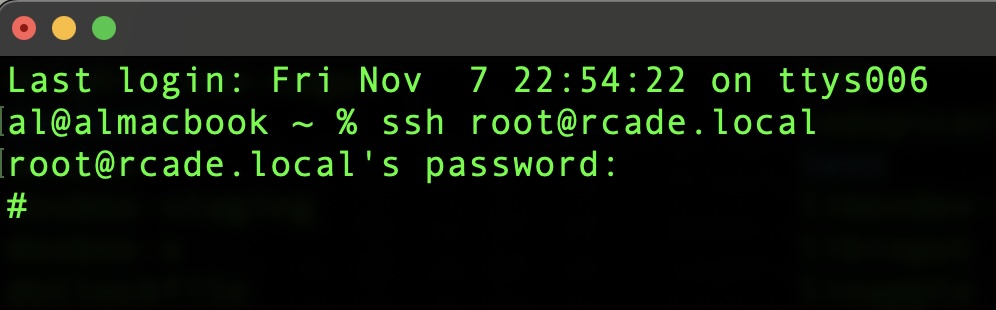
From a computer on the same network (Ethernet or WiFi) as your RCade device, SSH into your device using the username of root and the password of retro.
ssh root@rcade.local
or
ssh root@<Your RCade IP Address>
![]()
Note if you don’t know the IP address of your Batocera device, you may also try:ssh root@rcade.local
password: retro
Then copy and paste one of the installer commands below:
curl -kLO -H "Cache-Control: no-cache" https://raw.githubusercontent.com/alinke/pixelcade-linux-builds/main/install-scripts/setup-rcade.sh && chmod +x setup-rcade.sh && ./setup-rcade.sh
curl -kLO -H "Cache-Control: no-cache" https://raw.githubusercontent.com/alinke/pixelcade-linux-builds/main/install-scripts/setup-rcade.sh && chmod +x setup-rcade.sh && ./setup-rcade.sh beta
In Game Effects
In game effects for specific MAME games powered by DOFLinx will be available on the FBNEO emulator (not the MAME emulator)
You may also setup RetroAchievements for in game effects with other emulators such as Atari 2600, NES, and many others.
Pixelcade Companion Web Interface
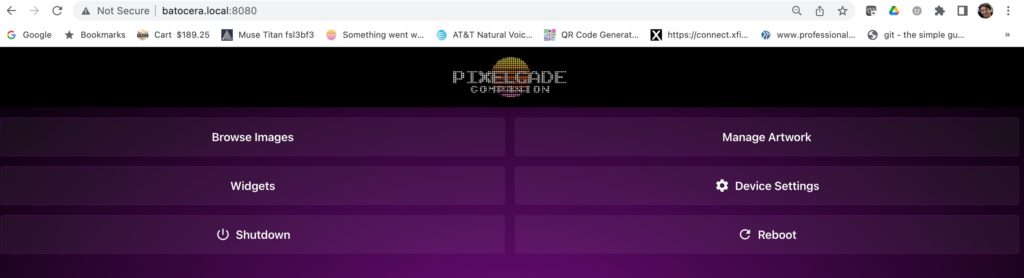
Use the Pixelcade Companion Web interface to browse marquee artwork and change Pixelcade settings such as Pixelcade Pulse. From any web browser on the same network as your Rcade, go to:
http://rcade.local:8080 or <Rcade IP Address>:8080
For example: http://rcade.local:8080 or 192.168.1.198:8080
![]()
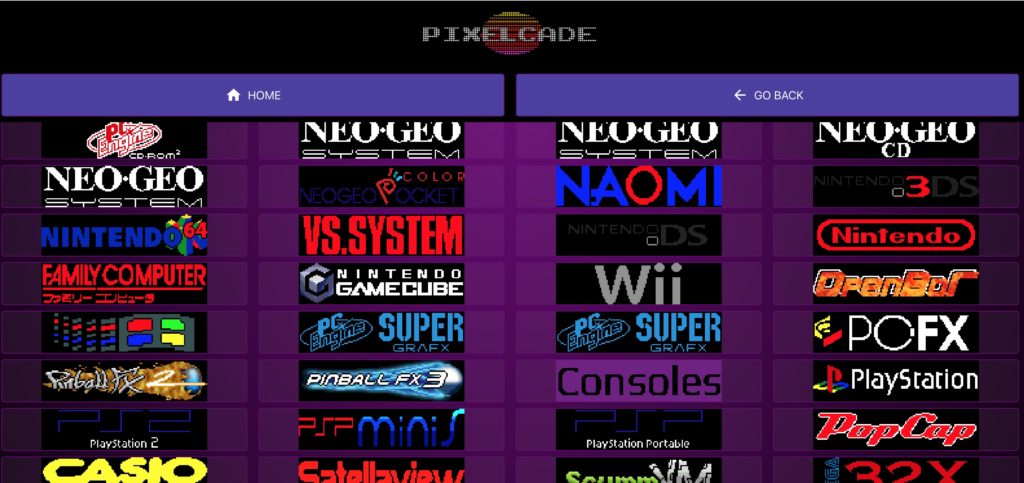
Browse Artwork
Browse marquee artwork by system /console type.
![]()
![]()
Update Artwork
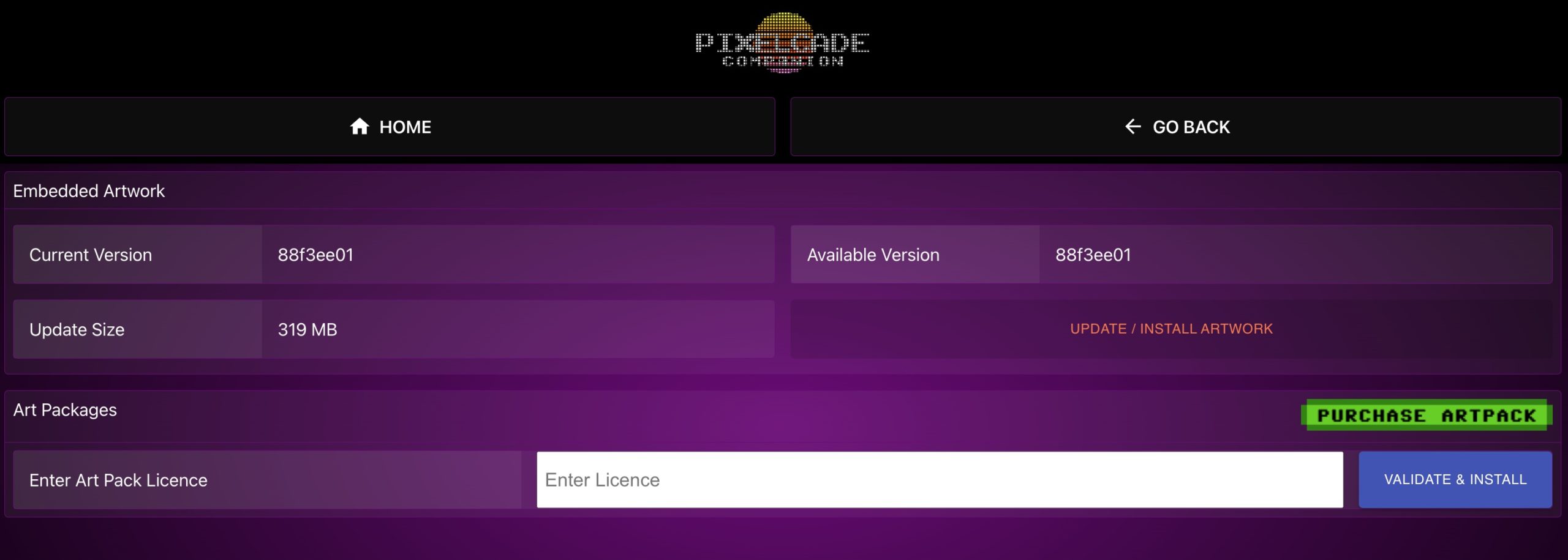
Check for new artwork and click “UPDATE / INSTALL ARTWORK” when there is an update.
Also, an optional paid LED art pack is available for Pixelcade LED with additional animated marquees. Note this art pack is for Pixelcade LED only and not for Pixelcade LCD marquees.
After purchasing the LED art pack, you’ll receive a serial code and then enter it in the “Enter Art Pack License” box.
![]()
Widgets
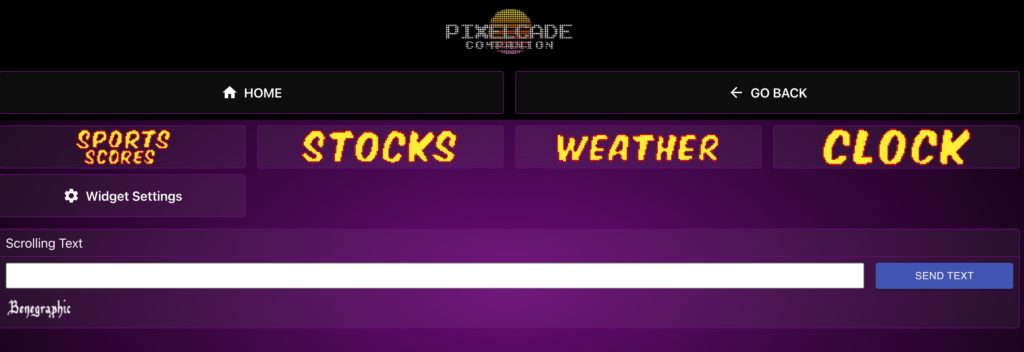
While not in Arcade marquee mode, Pixelcade can display weather, act as a clock, display sport scores, and stock prices.
First click the “Widget Settings” box to configure your favorite teams, stocks, and zip code for weather.
![]()
Settings
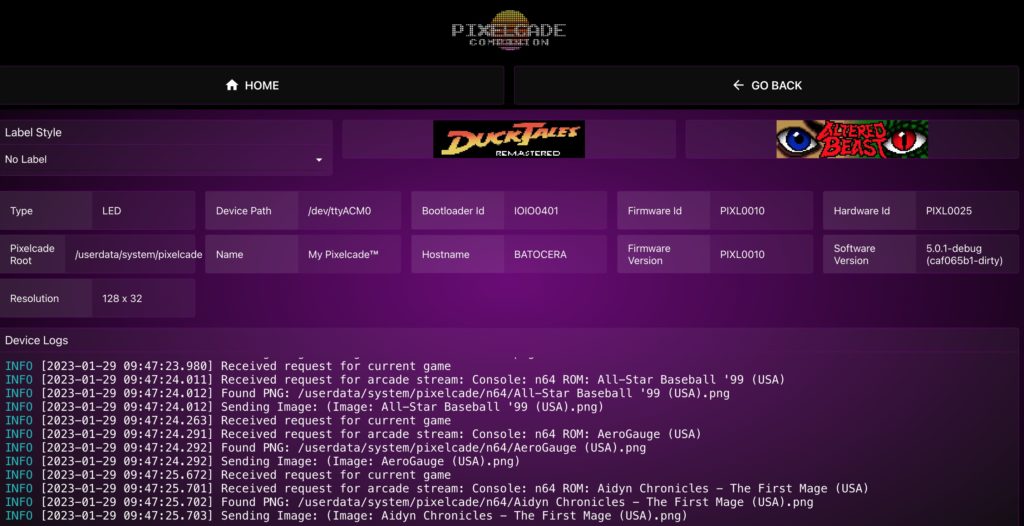
Use Settings to access the Pixelcade log. This is a great tool when customizing artwork. For example, this line tells you that your arcade front end sent a request to Pixelcade for a file called mame/3stooges.png
Received request for arcade stream: Console: mame ROM: 3stooges
![]()
API Access to Widgets
Weather
http://batocera.local:8080/weather?location=x
x can be a zip code or a city/country name
Clock
http://batocera.local:8080/clock
Sports Scores Ticker
http://batocera.local:8080/sports/x
x can be: nfl, nba, nhl, mlb
Stock Ticker
http://batocera.local:8080/stocks?tickers=x,y,z
where x,y, z are ticker names
ex.
http://batocera.local:8080/stocks?tickers=aapl,googl,sbux
Usage of ./pixelweb:
-b string
optional bind address (default "0.0.0.0")
-check-artwork
Checks to see if there is an update to Pixelcade LED artwork
-colorlogging
show the selected console and rom in color in the Pixelcade Listener window (default true)
-d string
path to pixelcade device. Set to auto to scan for device. On Windows use COM# (default "auto")
-debug
debug log level
-delay int
time (in seconds) to delay device init
-demo
Enable demo mode
-devicescan
scan for device if not found or not specified with -d
-dmdserver
Enable dmdserver output mode (send frames to dmdserver via TCP instead of pixelcade hardware)
-dmdserver-addr string
dmdserver address (default: localhost) (default "localhost")
-dmdserver-port int
dmdserver port (default: 6789) (default 6789)
-font string
default font for text (default "Arial Narrow 7")
-fontcolor string
default font color for text (default "ff0000")
-fontcolorrandom
random default font color. Overrides -fontcolor (default true)
-fontsize int
default font size for text (default 28)
-fuzzy
enable fuzzy matching for images (default true)
-fuzzydistance int
fuzzy matching threshold: higher number means more lenient matching (applies to both PNG and GIF) (default 10)
-fuzzymatches int
max number of fuzzy matches before disregarding (default 40)
-image string
optional image to display on startup (default "mame/pixelcade.png")
-install-artpack string
installs the paid Pixelcade LED art pack which requires a license code
-install-artwork
first time install of Pixelcade LED artwork
-logfile string
optional log file
-nointro
skips playing the startup text and logo. Screen will be black on startup.
-nomdns
Skip mDNS registration
-p string
path to pixelcade root (default "/usr/bin")
-port int
optional port to listen on (default 8080)
-progress-installer
Use an alternative artwork installer that shows download progress in a command line
-progress-stdout
print progress output as stdout only
-silent
silent mode / do not display any log output
-sports-ticker-refresh float
num minutes before updating sports scores, minimum is 1 minute (default 1)
-startup
startup mode
-stock-ticker-refresh int
num minutes before updating stock ticket updates, minimum is 1 minute (default 1)
-swapbluegreen
swap blue and green. Only needed for certain panels.
-system-image string
optional system image to display on startup. Overrides -image
-text string
optional text to display on startup (default "Welcome to Pixelcade")
-trace
trace log level
-update-artwork
updates Pixelcade LED artwork
-update-doflinx
updates DOFLinx MAME files only
-version
shows the Pixelcade software version